Skip to content
IT help

IT help

IT help for students at Hasseris Gymnasium

  • Guides
    • Unilogin
    • Lectio
    • Print
    • WIFI
    • Maple
    • Backing up data
  • Frequently asked questions
  • Preparing your computer
  • My first day of school

New student

5
  • Log in to Lectio without MitID (required for exams)
  • Update your computer
  • Change / forgot password
  • MacBook automatic installation
  • MacBook or PC?

Local login

3
  • Log in to Lectio without MitID (required for exams)
  • Change / forgot password
  • What is Local login?

LECTIO

2
  • Log in to Lectio without MitID (required for exams)
  • Change / forgot password

PRINT

4
  • Pairing student cards with copiers
  • Student: Installing the print driver on MacBook
  • ELEV: Installing the print driver on Windows PC
  • I can't save my Maple task as PDF (MacBook)

WIFI

2
  • Log on to WIFI (Windows)
  • Log on to WIFI (MacBook)

Update your computer

2
  • Update your Windows PC
  • Update your MacBook

Microsoft 365

4
  • Microsoft Teams
  • Backing up OneNote on MacBook
  • Restore OneNote from backup on Mac
  • Microsoft 365

OneDrive

2
  • Unlink old school in OneDrive
  • OneDrive

Installation

4
  • Install Firmaportal MacBook
  • Install Firmaportal Windows PC
  • Install applications yourself - MacBook (EMERGENCY SOLUTION - not recommended)
  • Install programs yourself - Windows PC (EMERGENCY SOLUTION - not recommended)

Maple

4
  • Installing Maple 2025 Mac/PC
  • Maple activation
  • I can't save my Maple task as PDF (MacBook)
  • Maple - Find lost files

Backing up data

4
  • Backup of OneNote (Windows)
  • Backing up OneNote on MacBook
  • Restore OneNote from backup on Mac
  • Backup of OneDrive

My first day of school

3
  • Log in to Lectio without MitID (required for exams)
  • Log on to WIFI (MacBook)
  • Log on to WIFI (Windows)
  • Home
  • Docs
  • LECTIO
  • Change / forgot password
View Categories

Change / forgot password

< 1 min read

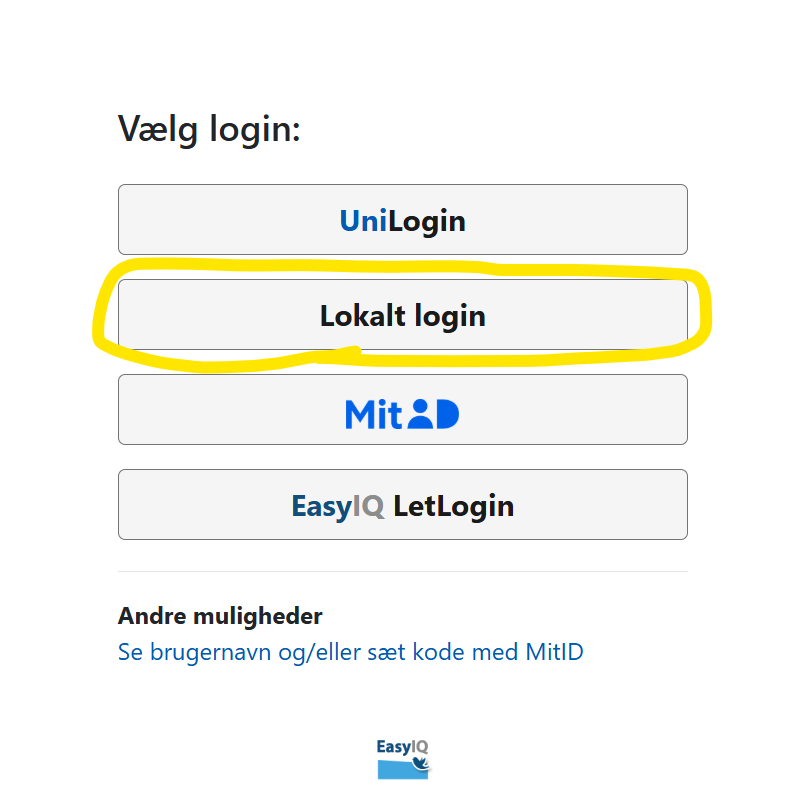
At Hasseris Gymnasium, we only use “Local Login” for everything. So if you’re having trouble logging in, you may have accidentally selected “UniLogin”.

If a teacher tells you to log in with UniLogin, they actually mean you should select “Local Login” when you see the options below 🙂

Change code:

  • Go to the page minkode.kodeskift.dk
  • Here you land directly in a MitID window
  • Login with MitID

code_change_MyID.png

4. Code requirements:

The password must be a minimum of 12 characters.
The password must contain three of the following:

  • Upper case letters
  • Lowercase letters
  • Valley
  • Special characters

Your school email is:

"your Local login username"@hasseris-gym.dk

Log in to Lectio without MitID (required for exams)Log in to Lectio without MitID (required for exams)
Lectio, Unilogin
Was the guide useful?

Related Docs

  • Update your computer
  • Change / forgot password
  • Install Firmaportal MacBook
Updated on April 9, 2026
Log in to Lectio without MitID (required for exams)Log in to Lectio without MitID (required for exams)
  • Dansk